Proxmox Load Balancer — Implementation Guide
IT Glue Documentation · Advanced Installation & Configuration
Table of Contents
- Prerequisites & Environment Overview
- Phase 1 — Proxmox Node Preparation
- Phase 2 — HAProxy Load Balancer Configuration
- Phase 3 — SSL Termination & Certificate Setup
- Validation & Smoke Tests
1. Prerequisites & Environment Overview
| Component | Version | Role |
|---|---|---|
| Proxmox VE | 8.1.4 | Hypervisor cluster (3 nodes) |
| HAProxy | 2.8 LTS | Layer-7 load balancer |
| Certbot | 2.9 | Let's Encrypt SSL automation |
| Debian | 12 (Bookworm) | Base OS for all nodes |
ℹ All three Proxmox nodes must be reachable on the same subnet before proceeding. Confirm connectivity with
ping from each node before starting Phase 1.
2. Phase 1 — Proxmox Node Preparation
1
Update all Proxmox nodes to the latest patch level
SSH into each node and run the full update sequence before installing HAProxy to avoid dependency conflicts.
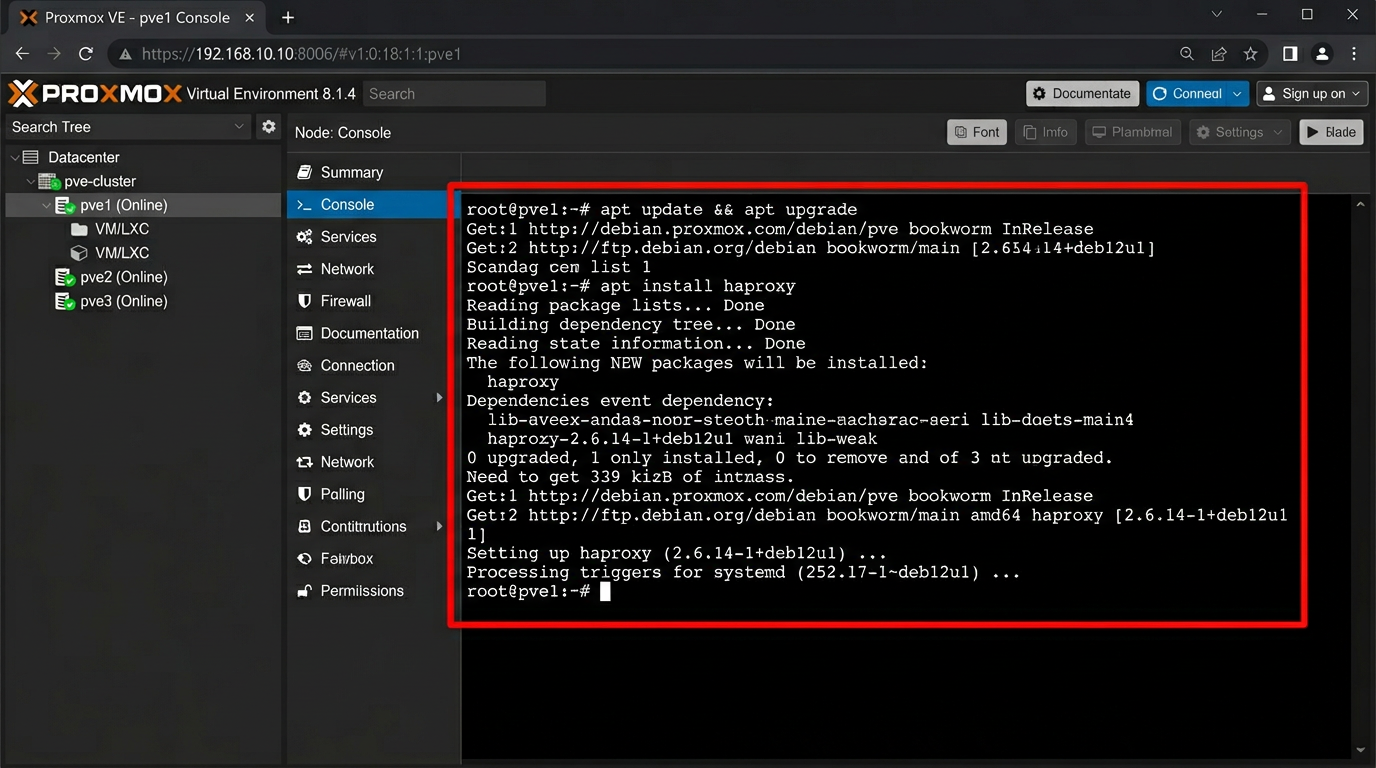
# Run on each Proxmox node (pve1, pve2, pve3)
apt update && apt upgrade -y
apt install haproxy -y
systemctl enable haproxy
systemctl start haproxy
2
Verify HAProxy service status after installation
Confirm the service is active and listening on port 443 before proceeding to backend pool configuration.
3
Configure the backend server pool in /etc/haproxy/haproxy.cfg
Define the three Proxmox nodes as backend members. The load balancer distributes HTTPS traffic across all nodes using round-robin with SSL health checks.
# /etc/haproxy/haproxy.cfg — backend block
backend proxmox_nodes
balance roundrobin
option httpchk GET /
server pve1 10.0.0.11:8006 check ssl verify none
server pve2 10.0.0.12:8006 check ssl verify none
server pve3 10.0.0.13:8006 check ssl verify none
3. Phase 2 — HAProxy Frontend Configuration
4
Define the HAProxy frontend to accept HTTPS traffic on port 443
The frontend listens on all interfaces and forwards to the proxmox_nodes backend. SSL termination is handled at the HAProxy layer.
# /etc/haproxy/haproxy.cfg — frontend block
frontend proxmox_front
bind *:443 ssl crt /etc/haproxy/certs/proxmox.pem
mode http
option forwardfor
default_backend proxmox_nodes
| Port | Protocol | Purpose | SSL |
|---|---|---|---|
| 443 | HTTPS | Proxmox web UI + API | ✓ Terminated at HAProxy |
| 8006 | HTTPS | Backend node communication | ✓ verify none (self-signed) |
| 80 | HTTP | Redirect to HTTPS | — redirect only |