StepByStep360 automates your MSP documentation. It extracts frames and transcribes audio from screen recordings, building structured IT Glue-ready guides in minutes.
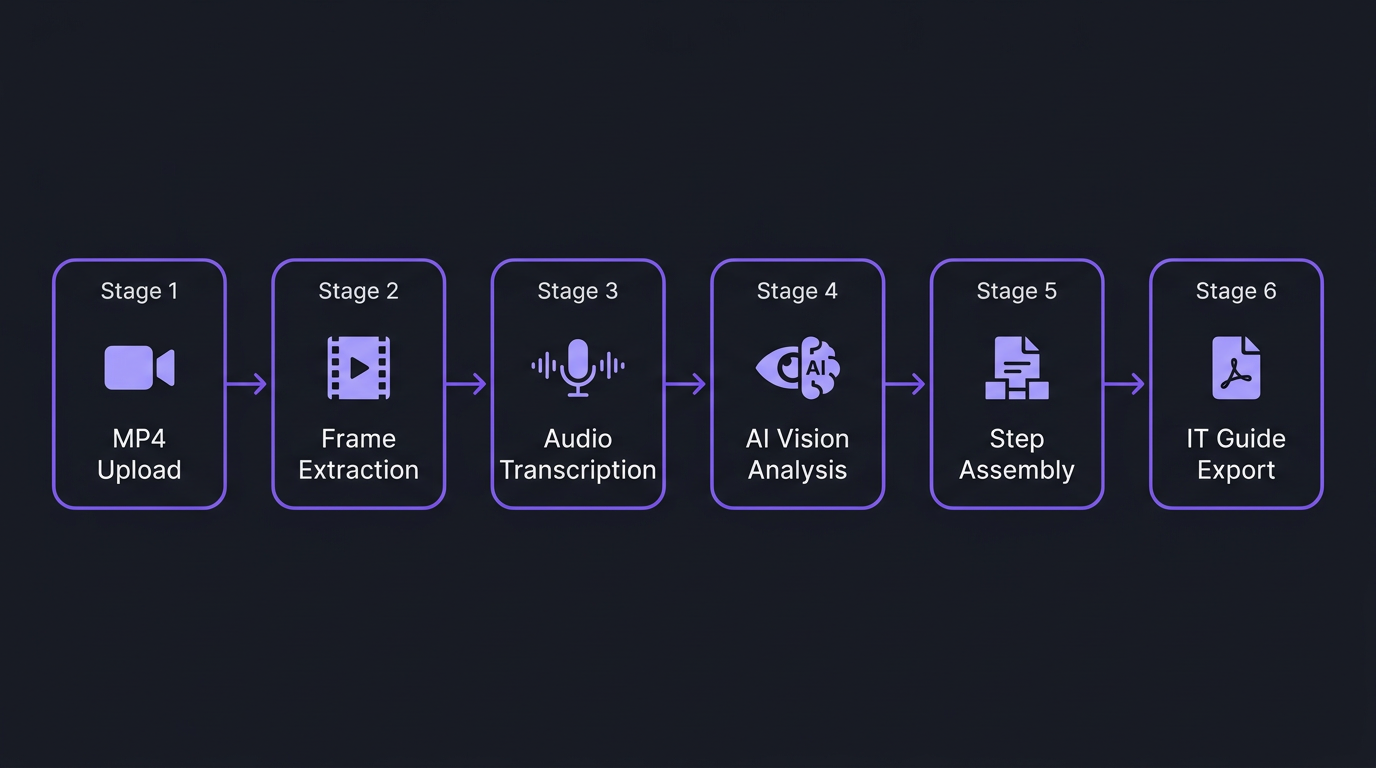
Advanced vision and audio processing pipeline running sequentially behind the scenes to build your guide.
Headers, Table of Contents, and architecture boxes for IT Glue. Service notes pushed directly to Autotask tickets with one click.
Role-based access controls for MSP teams, distinct client workspaces, and shared templates.
Integrates and outputs natively for your stack
MSPs and IT teams record walkthroughs every day. StepByStep360 turns those recordings into polished documentation automatically — no copy-pasting screenshots, no manual step-writing.
Three steps. No manual writing. No screenshot pasting. Upload your recording and the AI pipeline handles everything.
Drop an MP4 into the browser or capture directly with the built-in recorder. Any screen walkthrough, demo, or training video works — audio optional.
Three AI systems work in sequence — no configuration required. Frames are extracted, audio transcribed, then advanced vision AI reads both and assembles structured steps.
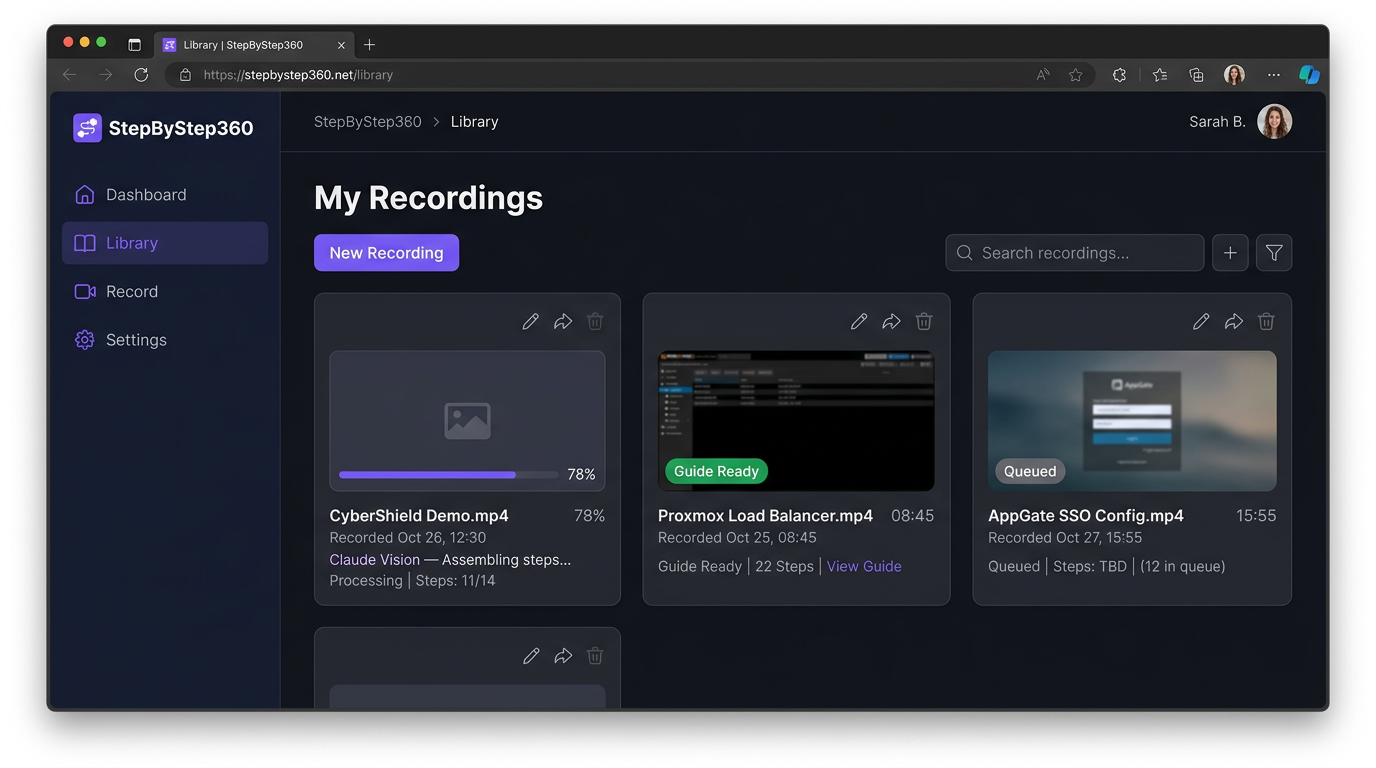
The finished guide appears in your library — structured, styled, and ready. Export as IT Glue–ready Word DOCX, PDF, or copy steps directly into any documentation system.
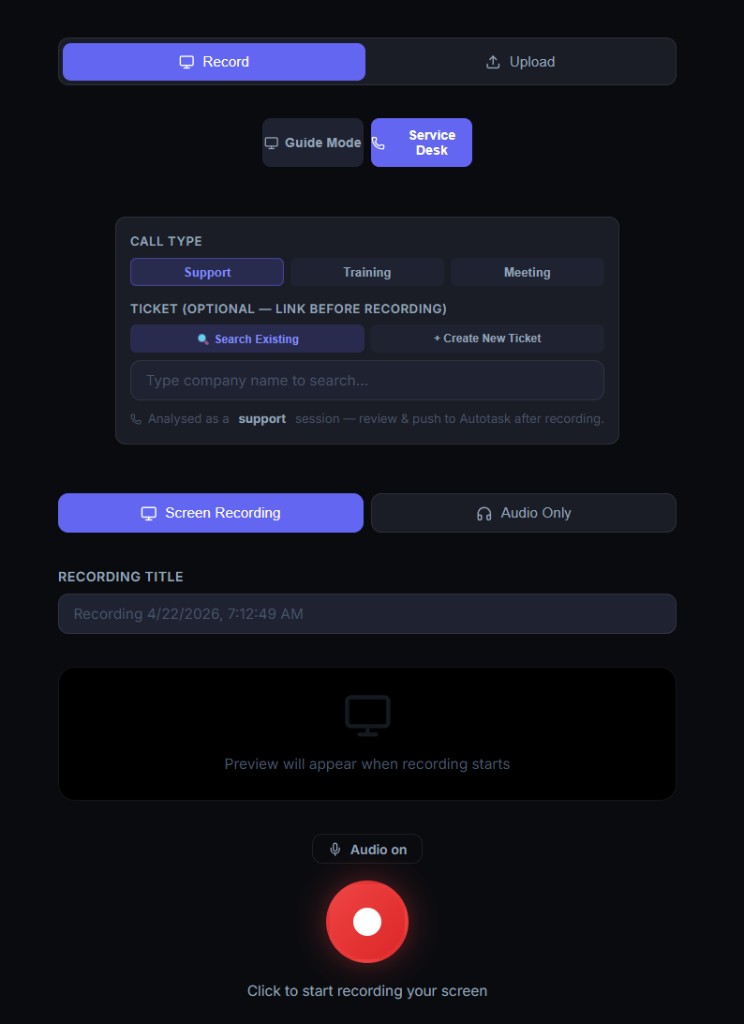
Switch to Service Desk Mode before you record. StepByStep360 links the ticket, transcribes the call, generates AI service notes in 5 formats, and pushes everything to Autotask in one click.
Toggle between Guide Mode and Service Desk Mode at any time. In Service Desk Mode, link an existing Autotask ticket or create a new one — before you hit record. The session is categorized automatically.
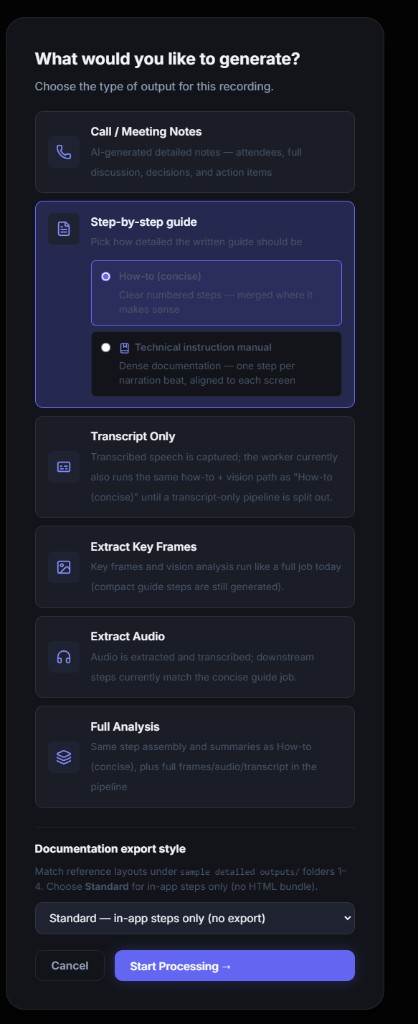
After recording, select exactly what you need. Six AI-powered output modes — from concise call notes to full technical analysis — each built for a different audience and purpose.
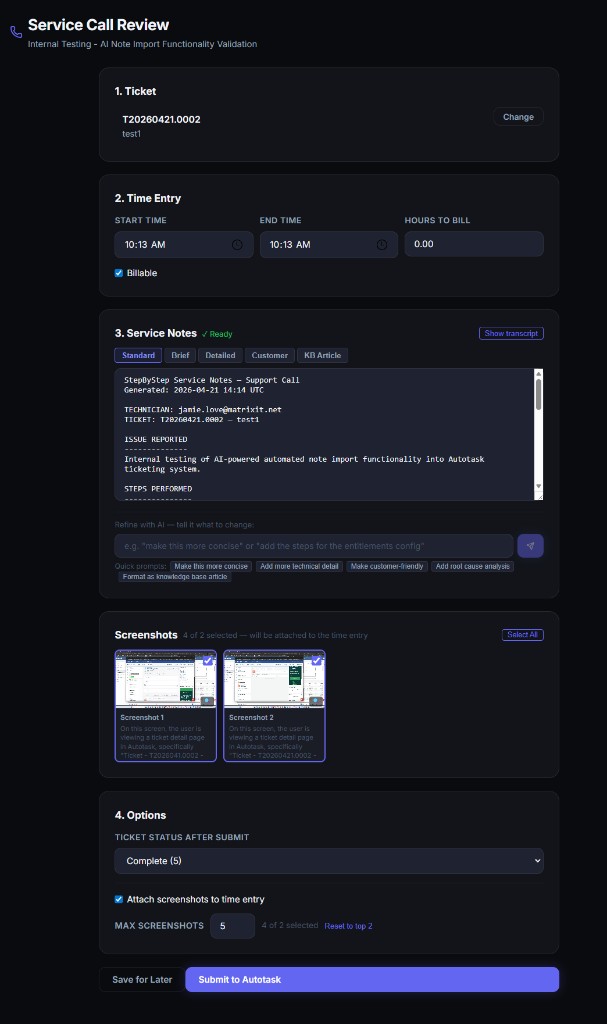
The Service Call Review delivers AI-generated service notes instantly in 5 formats. Not happy with the tone or detail? Use the built-in AI chat to refine it in plain English before a single character hits your ticket.
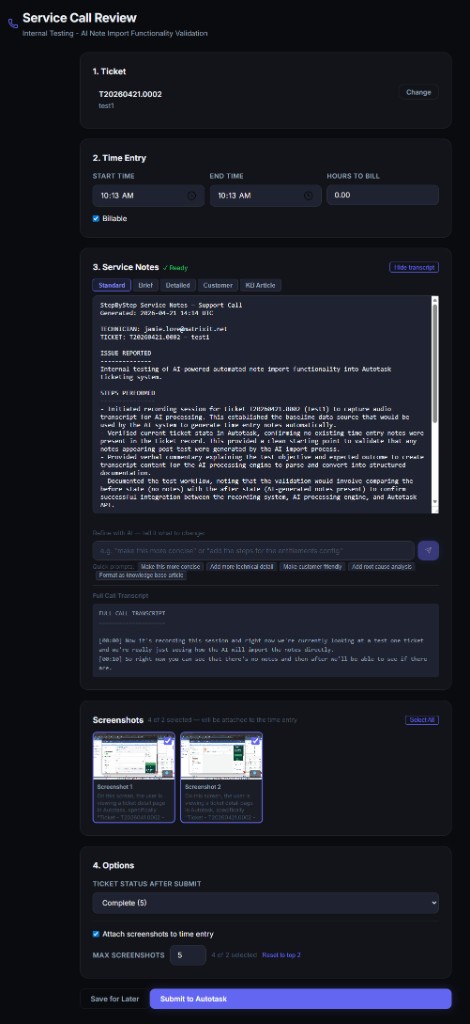
Expand the full spoken transcript for reference or compliance. When you're ready, one click submits the AI notes, time entry, and selected screenshots directly into the Autotask ticket — no copy-pasting, no tab-switching.
From simple helpdesk tasks to massive cloud deployments, StepByStep360 scales to the complexity of the job.
Standardizing basic troubleshooting SOPs and creating quick-reference materials for end-users.
Documenting complex cloud deployments, firewall rules, and server architectures without writing a thesis.
Generating polished Project Completion Reports to justify project billing and secure client sign-off.
From Microsoft 365 helpdesk SOPs to pfSense firewall configs to Proxmox infrastructure builds — StepByStep360 reads what's on screen and writes the guide.
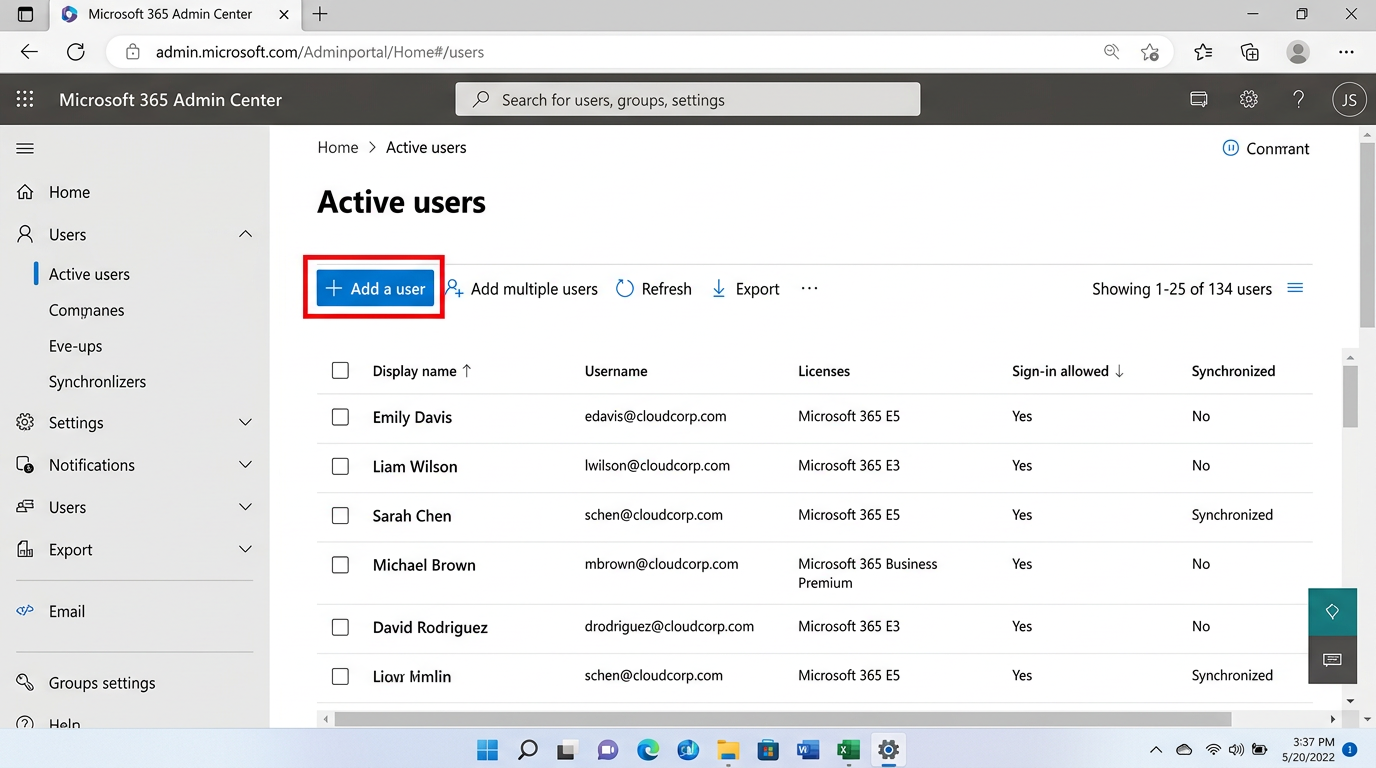
Add users, assign licenses, configure mailboxes — documented as a clean SOP in minutes.
View Standard Guide →
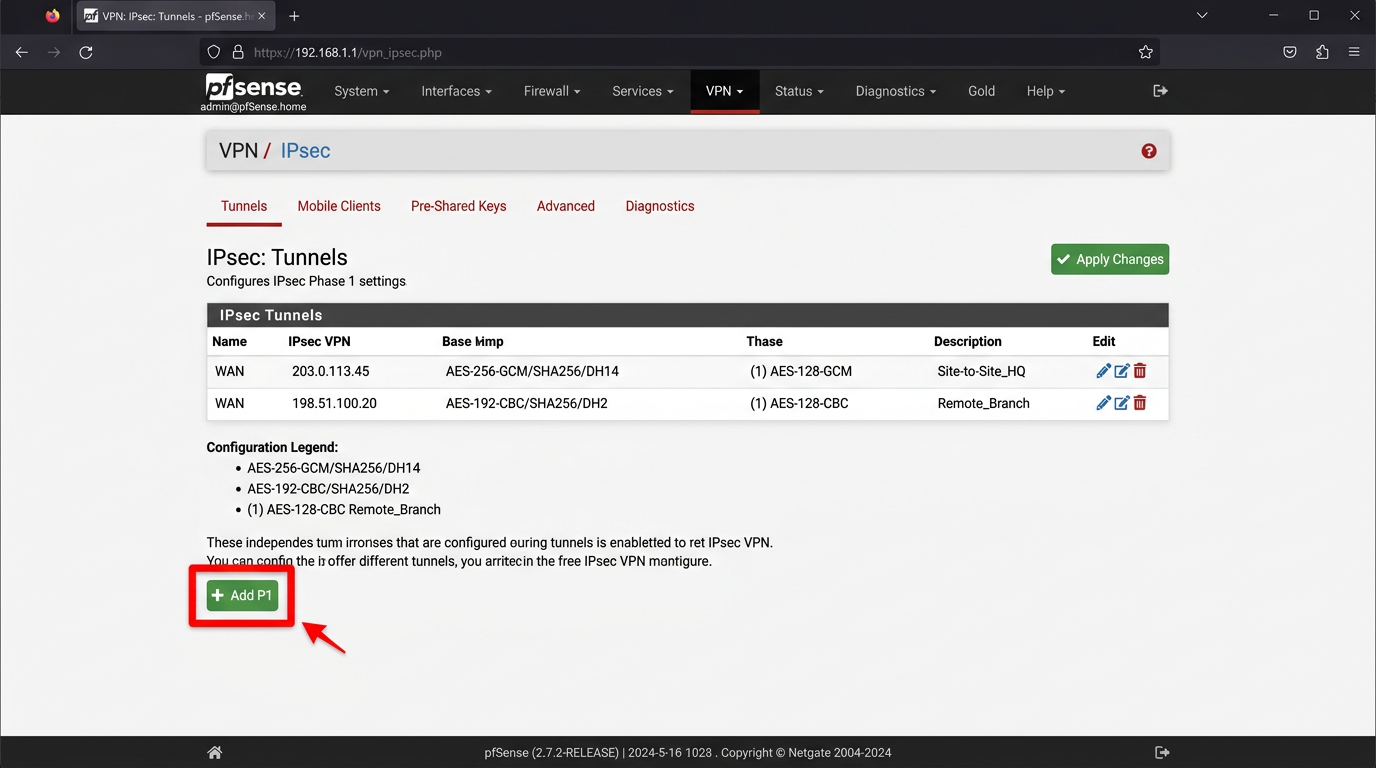
VPN tunnels, firewall rules, IPSec Phase 1 & 2 — documented step-by-step with code blocks.
View Technical Guide →
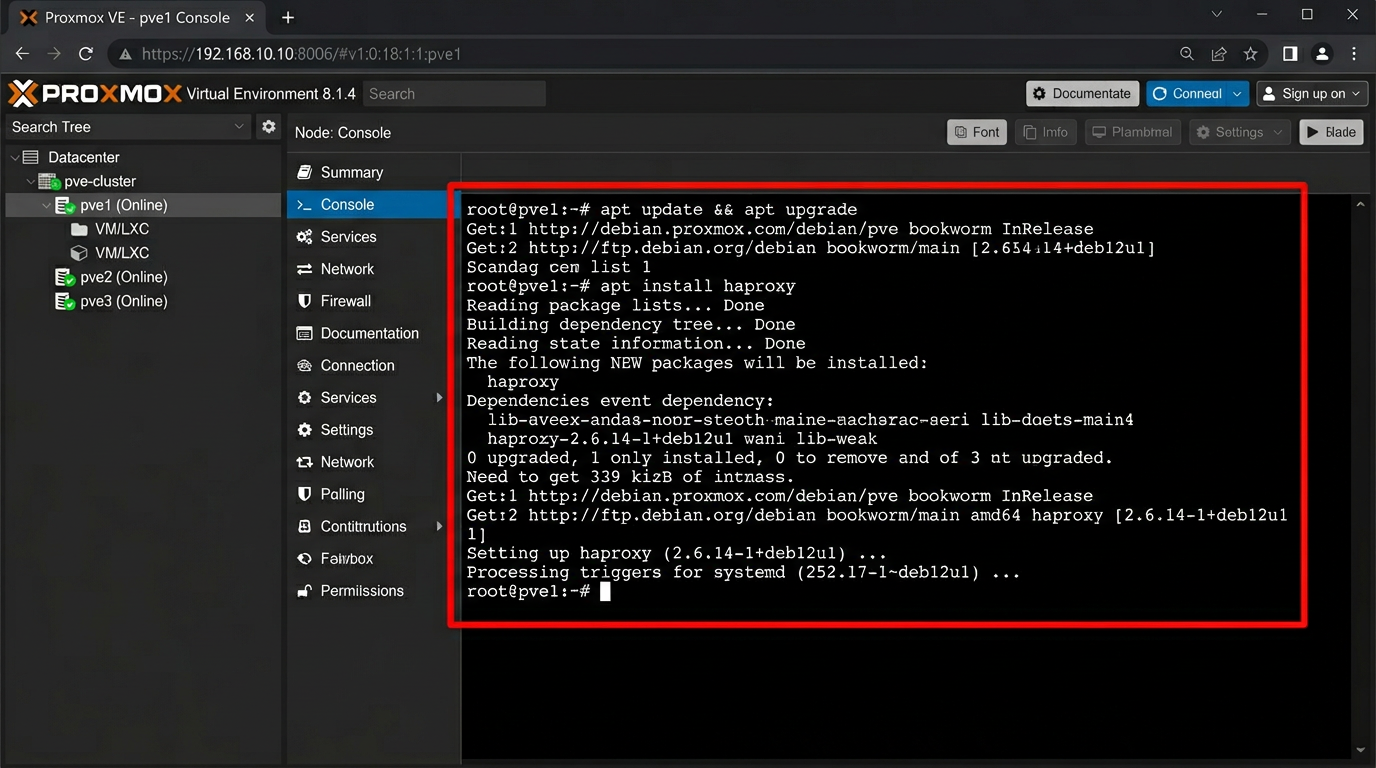
VM clusters, HA configurations, HAProxy load balancer — full IT Glue implementation guides.
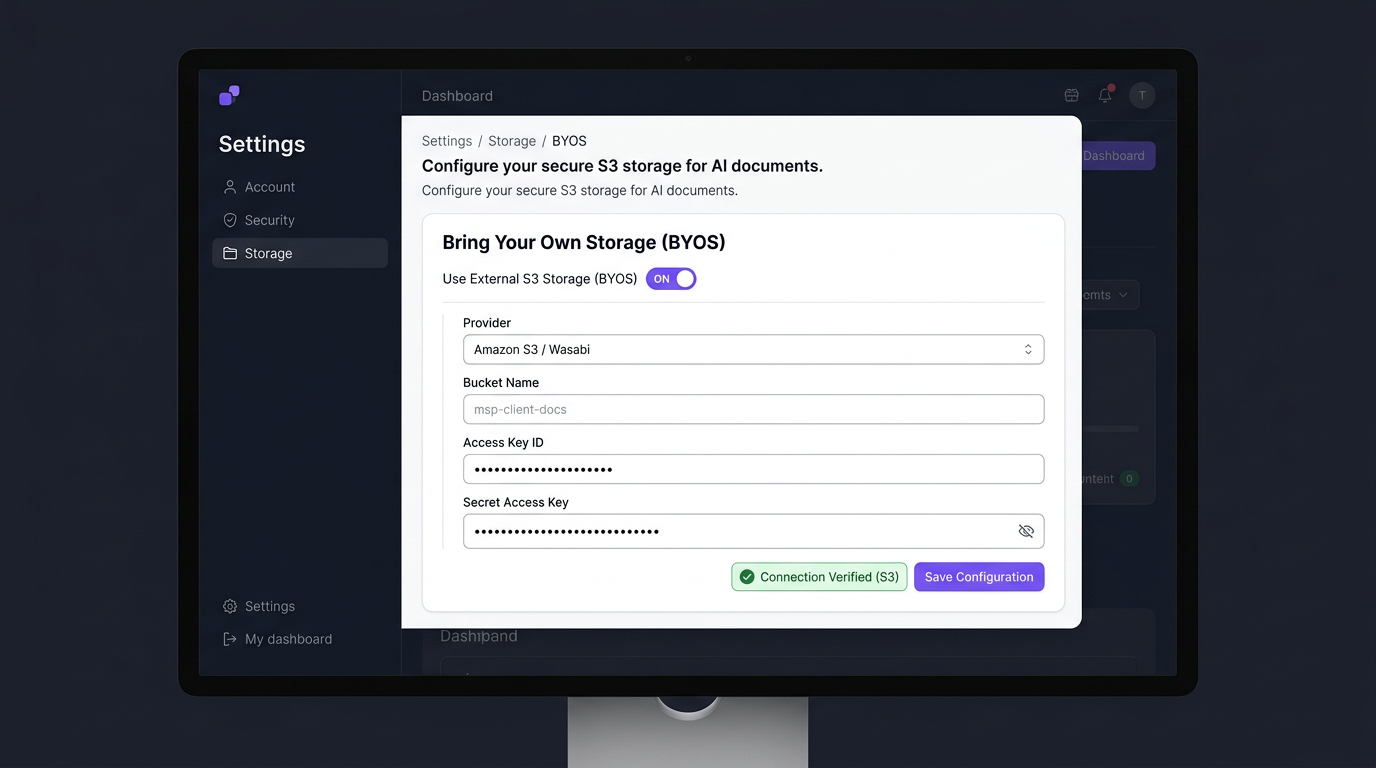
View IT Glue Guide →Don't want your data on our servers? Connect your own Amazon S3 or Wasabi bucket. We process the video and drop the guide directly into your storage.
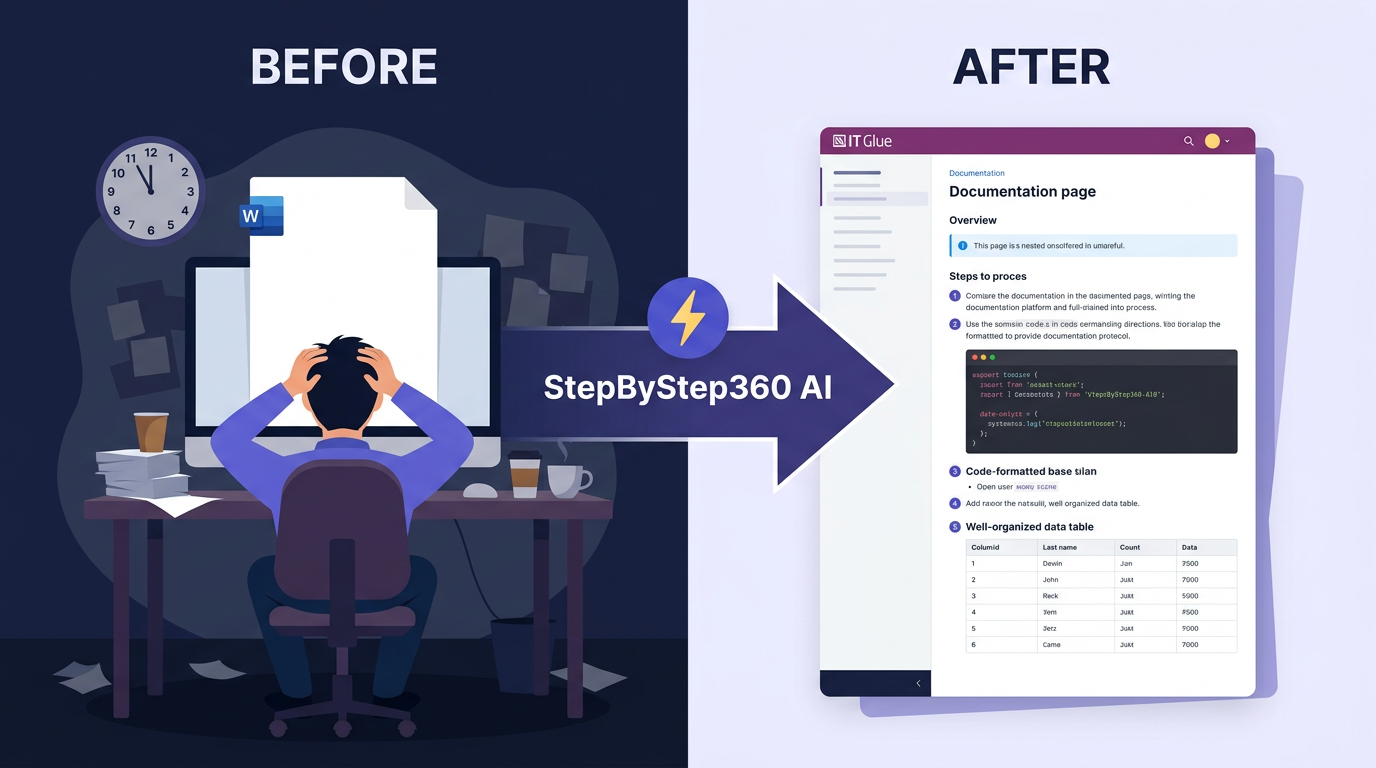
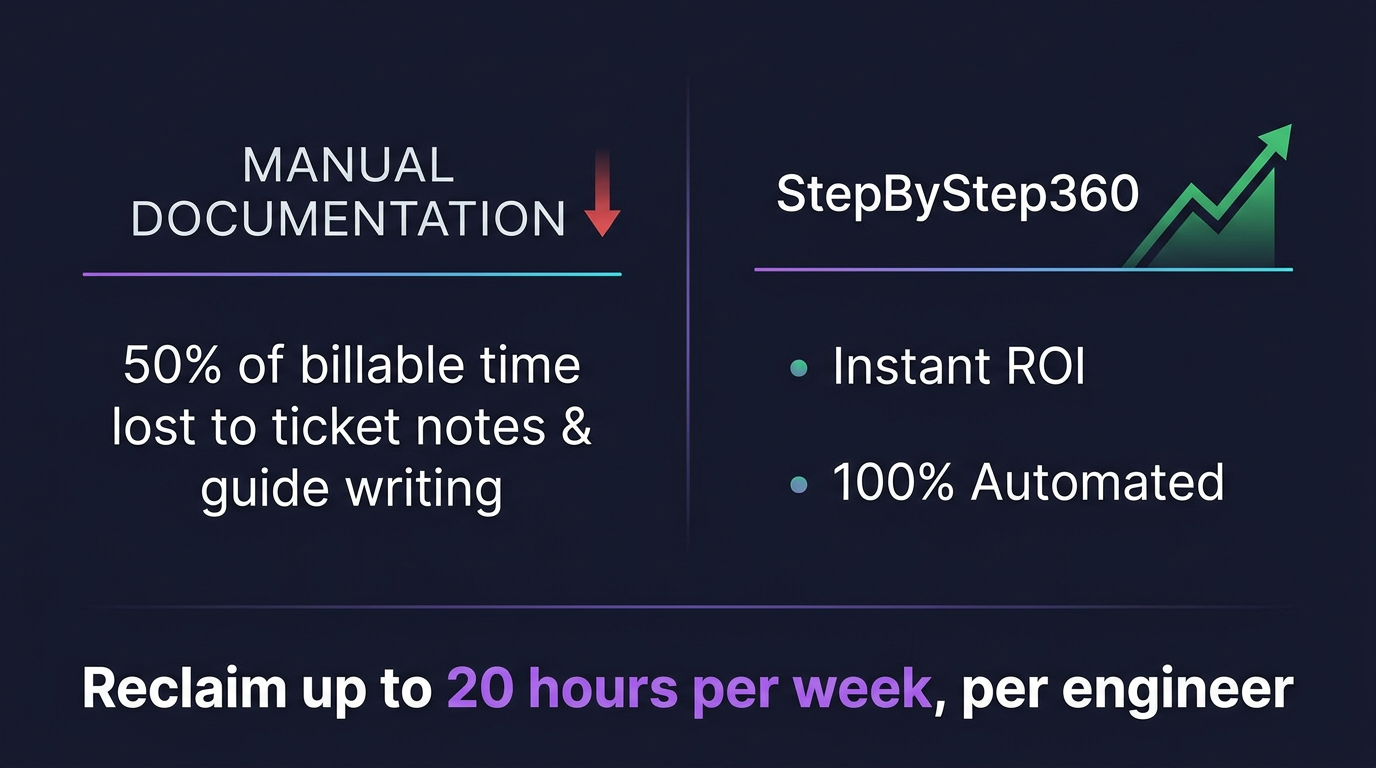
Document building, service notes, and detailed ticket closures can take as long as the technical work itself. When 50% of your billable time is lost to writing guides, your margins vanish.
Let AI do the heavy lifting so your engineers can focus on billable work.
"StepByStep360 completely transformed our IT Glue instance from an empty graveyard to our most valuable asset."
Simple pricing based on usage. No hidden fees.
Scribe and Loom are great general tools. StepByStep360 is purpose-built for MSPs — with IT Glue, Autotask, and multi-tenant built in from day one.
| Feature | StepByStep360 | Scribe.how | Manual / Screenshots |
|---|---|---|---|
| AI Vision reads screen content | ✓ Yes | Partial | ✗ No |
| Audio transcription included | ✓ Yes | ✗ No | ✗ No |
| IT Glue–style DOCX + PDF export | ✓ Yes | PDF only | ✗ No |
| Autotask ticket push (notes + time entry + screenshots) | ✓ Yes | ✗ No | ✗ No |
| AI service note format options (5 formats) | ✓ Yes | ✗ No | ✗ No |
| AI chat refinement before publishing | ✓ Yes | ✗ No | ✗ No |
| Multi-tenant MSP workspace | ✓ Yes | ✗ No | ✗ No |
| Bring Your Own Storage (S3 / Wasabi) | ✓ Yes | ✗ No | ✗ No |
| Works from uploaded video (not browser-only) | ✓ Yes | Browser only | Manual |
Everything you need to know before starting your trial.
Scribe captures clicks and screenshots. StepByStep360 uses AI Vision and Audio to understand what's on screen, reads your narration, and writes steps that explain the why — not just the clicks. Plus Autotask integration, IT Glue export, and multi-tenant are all built in.
Autotask is natively integrated today. ConnectWise Manage support is on the roadmap. The exported DOCX and PDF work with any documentation system including IT Glue, Hudu, Confluence, and SharePoint.
Yes. Videos are processed in memory and purged immediately — never stored on our servers long-term. You can also connect your own Amazon S3 or Wasabi bucket so documentation never leaves your infrastructure.
A typical 10-minute recording is fully processed — frames extracted, audio transcribed, AI guide assembled — in under 3 minutes. Longer recordings scale proportionally. Service Desk notes are ready even faster.
The 14-day free trial includes full access to all 6 output modes, all IT Glue export styles, Autotask integration, AI chat refinement, and the multi-tenant dashboard. No credit card required.
Yes. The multi-tenant architecture is designed for MSPs managing multiple client organizations. Each client workspace is logically isolated with role-based access controls and JWT + 2FA authentication.
Record your screen once. StepByStep360 writes the guide — structured, styled, and ready to publish in IT Glue.